Airbrush
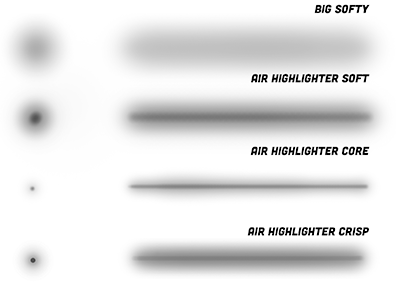
An airbrush stroke looks like a solid vanilla stroke. The main difference is its transparency gradient from middle axis to rim.
Technologically, traditional airbrush is a special type of stamp brush whose footprint is a transparent dot. When the footprints are very close and blend each other, they form an airbrush stroke with the transparency gradient, as the figure shows. If you've learned the previous chapter, rendering an airbrush is nothing more than creating a transparent dot as footprint.


When artists draw illustrations or animations, airbrush has special usages. While other brushes are commonly used for drawing outlines, airbrush is used for coloring or drawing shadow and highlight regions. As the image below shows, the artist repeatedly stroke on the sphere with airbrushes to draw shadow or highlight.
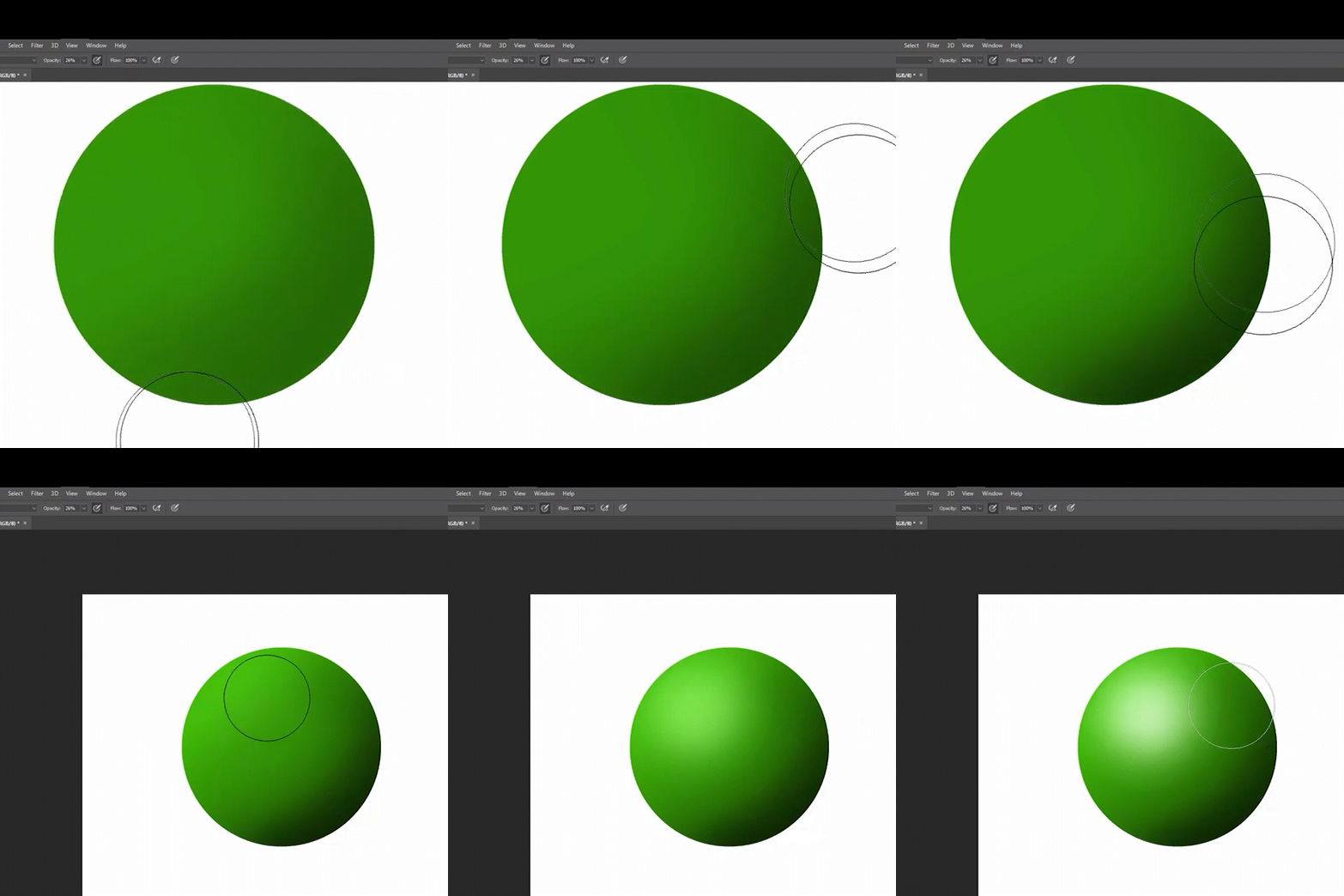
Therefore, airbrush strokes typically cover larger areas of pixels compared to outline strokes. Optimizing airbrush rendering algorithms can significantly improve rendering performance. In this tutorial, I will present a fancy and efficient way of rendering and explain the theory behind it.
Theory
If we render airbrush strokes as a regular stamp strokes, stamp interval should be extremely small, as shown in the above GIF images. A pixel on the stroke samples the footprint more than 30 times at maximum, which can significantly impact rendering performance. To address the issue, we can model this process using calculus, and derive a mathematically continuous stroke.
Imagine there are infinite number of stamps on an edge whose length is . The number of stamps is denoted with , and the interval between stamps is . We continue the idea of "articulated", calculate edges individually and blend them together. For each pixel whose position is invoked by the edge, its alpha value is equal to blend all the alpha values from all the stamps on the edge. The is the vector from stamp and the current pixel.
We define "alpha density" value, denoted with small alpha . Let , is called alpha density field and defined by the footprint. Hopefully, the notations remind you of the probability density and probability values (or uniformly distributed charge on a bar, and we are integrating its electric field).
Replace the and we get:
So, given any function, we can calculate the stamp strokes' continuous form by substituting the function into the formula.
We reuse the old local coordinate, originating at , and X and Y axes align to the tangent and normal direction. So, and in the coordinate. The is the X position of stamp i. As and , and apply product integral (Volterra Integral) on the formula.
If you know the Minkowski sum, it feels like that we are calculating Minkowski sum of a dot and a polyline. But the dot is transparent, and we need to know the alpha value associated with each vector in the final vector set.
Special Alpha Density
To get a clearer comprehension of the theory, let's examine a special case. Consider the alpha density value is a constant, indicating that a stamp stroke's footprint is a transparent dot, defined by the function
where is the constant alpha value within the radius , and is the distance to dot's center.
Substituting the into the allows us to partition the integral into two parts based on the value of :
The second integral does not contribute to the expression and can be omitted. The first integral represents the integral over the segment of the edge that stamps can cover the current pixel. The segment is marked with thick solid line in the figure below.
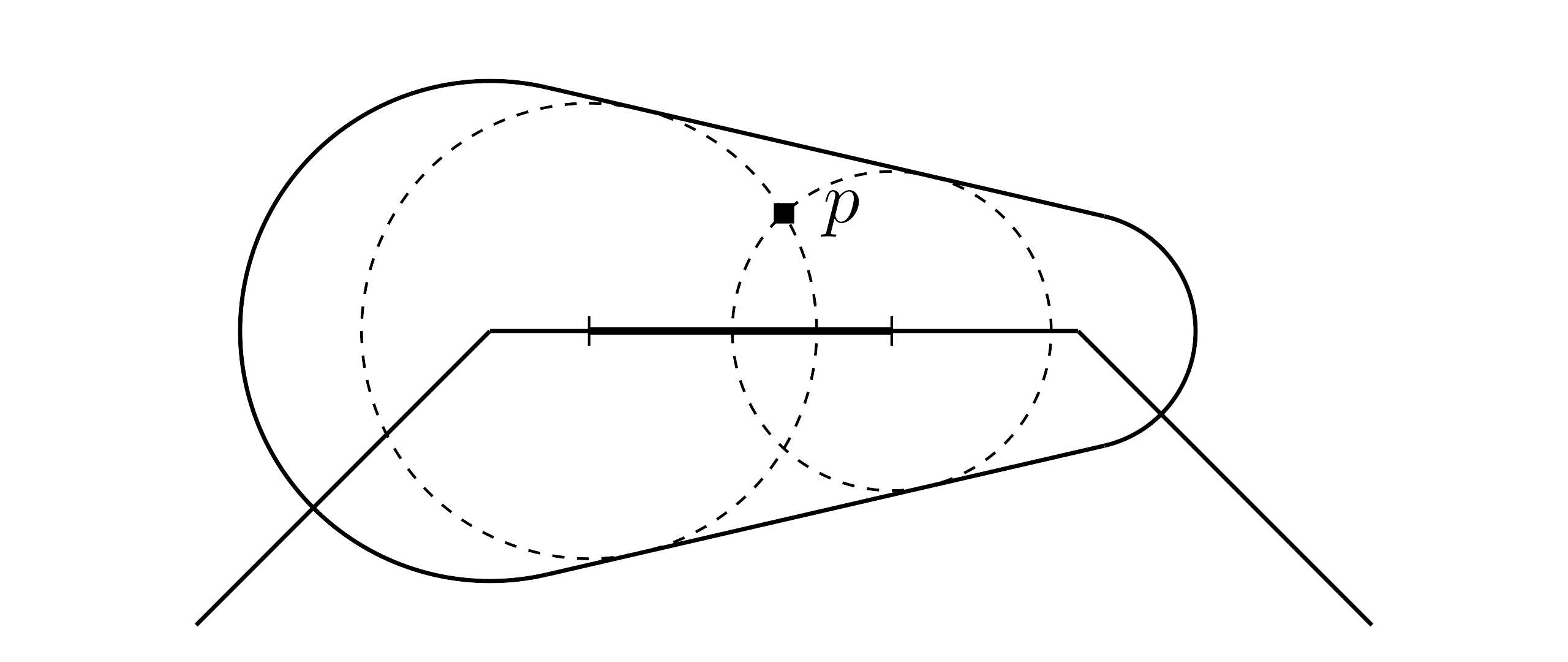
The figure is exactly the same as the one when learning stamp strokes. We denote the segment's length as , then the integral simplifies to a multiplication:
In practice, the segment's length can be calculated with the two roots of the equation. We have already learned it when rendering stamp stroke, and we will reuse that part of code. Here is the implementation:
- fragment.glsl
As I mentioned above, airbrush's most important characteristic is its transparency gradient. Let's derive this gradient function. For simplicity, we assume stroke radius is a constant value . It's not hard to deduce that in the bone area. After substitution,
So, the alpha value of a pixel in the bone area is independent of its x position. This independence applies to any other footprints or alpha density fields as long as they are constrained within a dot. Additionally, pixels in the bone area with the same y position always integral over the same length of a segment, therefore they have the same alpha value.